.svg)
.svg)


.svg)
One common issue with existing clients is a whole bunch of projects you're discussing or working on with your team.
Which automatically means some projects are being worked on while others need client feedback to get closed or kicked off.
Pipedrive did roll out a Deal summary feature, but only for US clients — and then quietly retired it because it wasn't providing enough value.
The feature was weak: too generic, too focused on the sales incentive of the current deal, completely disregarding what summary is actually required.
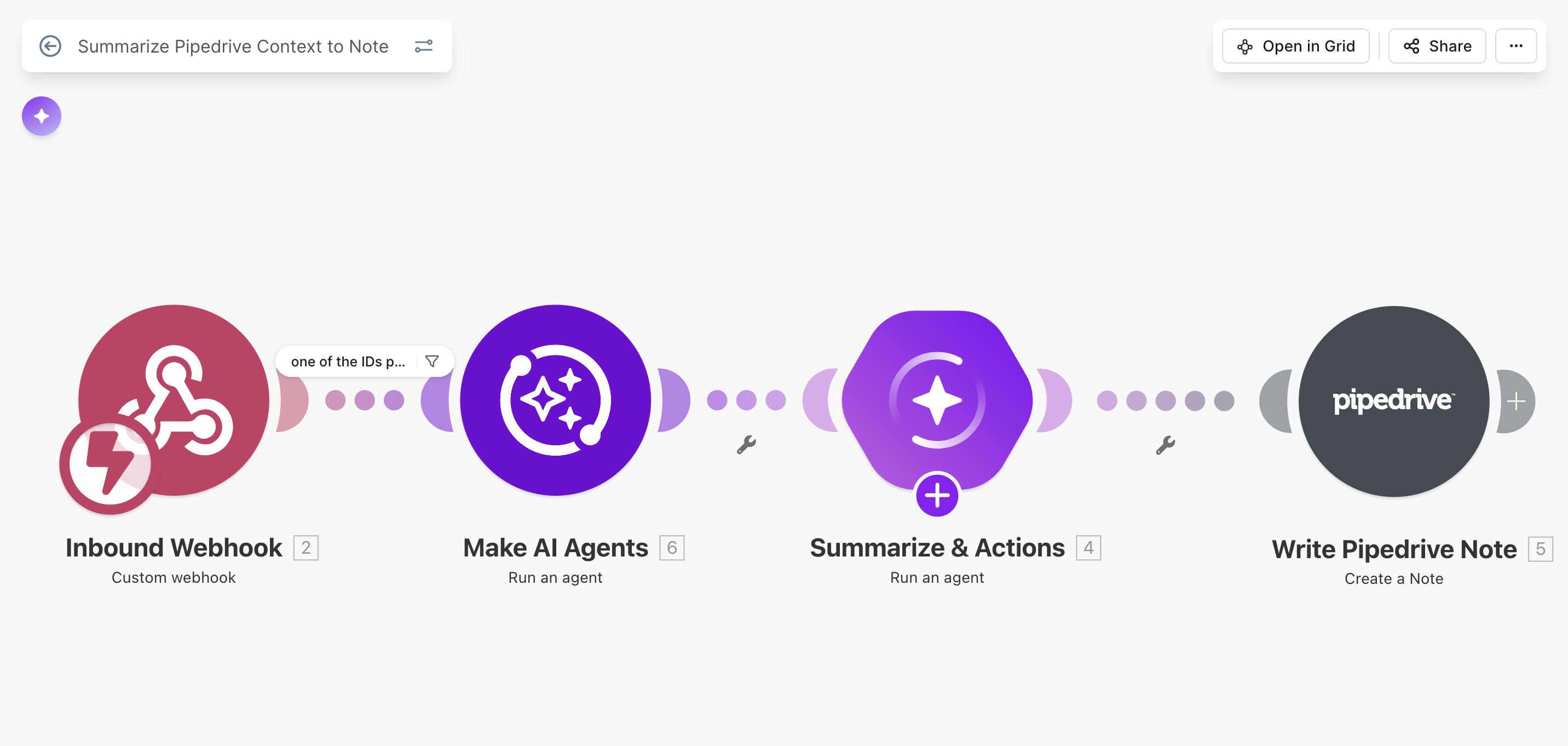
What we did to address this is a very simple make.com scenario to summarize exactly the way we need it:
- Summarize across all open deals and projects
- Show open topics or tasks we need to provide answers to
- Show open topics that require input from the client
- Show next steps discussed
The idea is clear: let AI summarize communication exactly the way your team requires.
Make.com scenario: AI summarizer
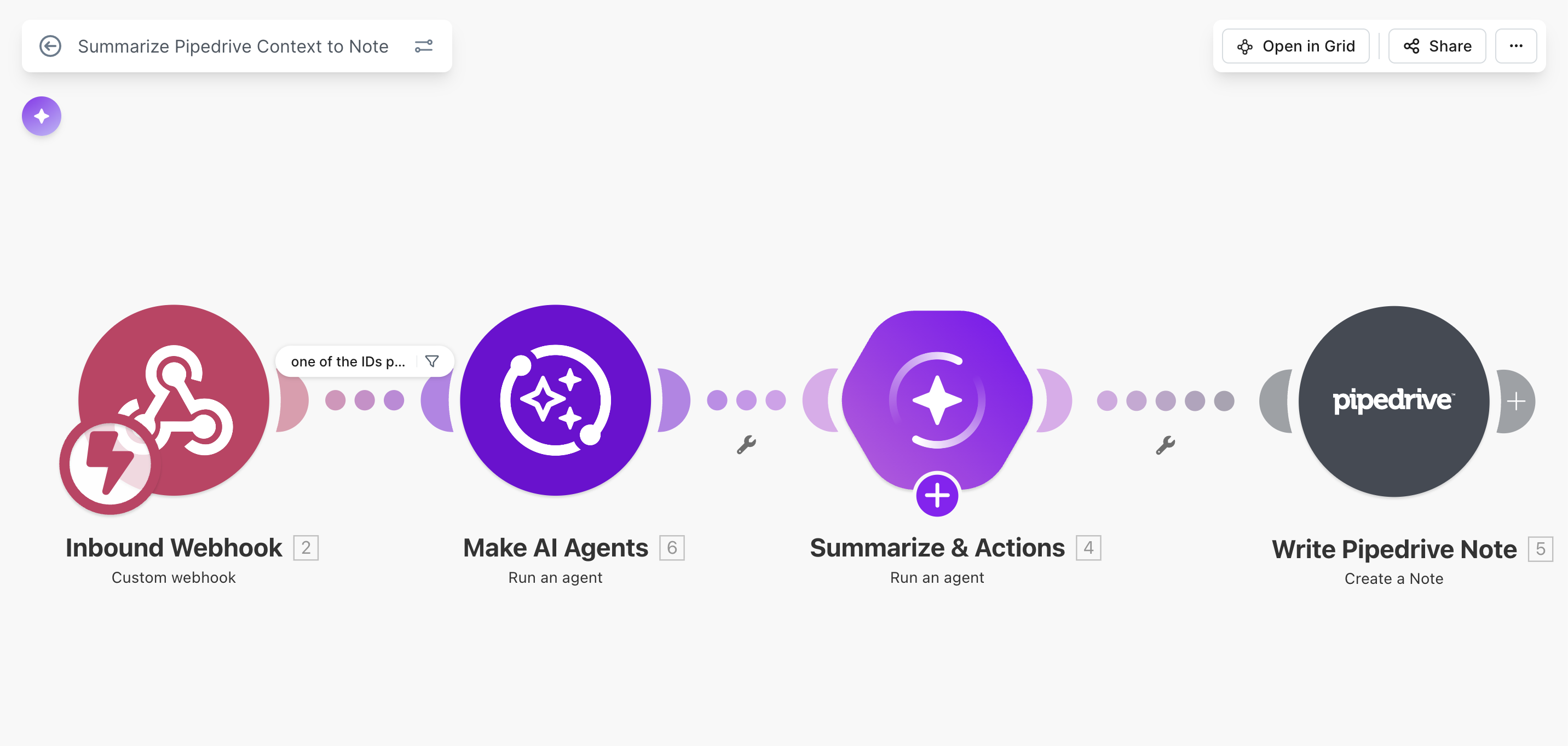
The scenario is straightforward:
1. Webhook receives information from Pipedrive
We use an action drop-down field in Pipedrive that simulates buttons. Saving the single-option value triggers a webhook, passing information over to Make.
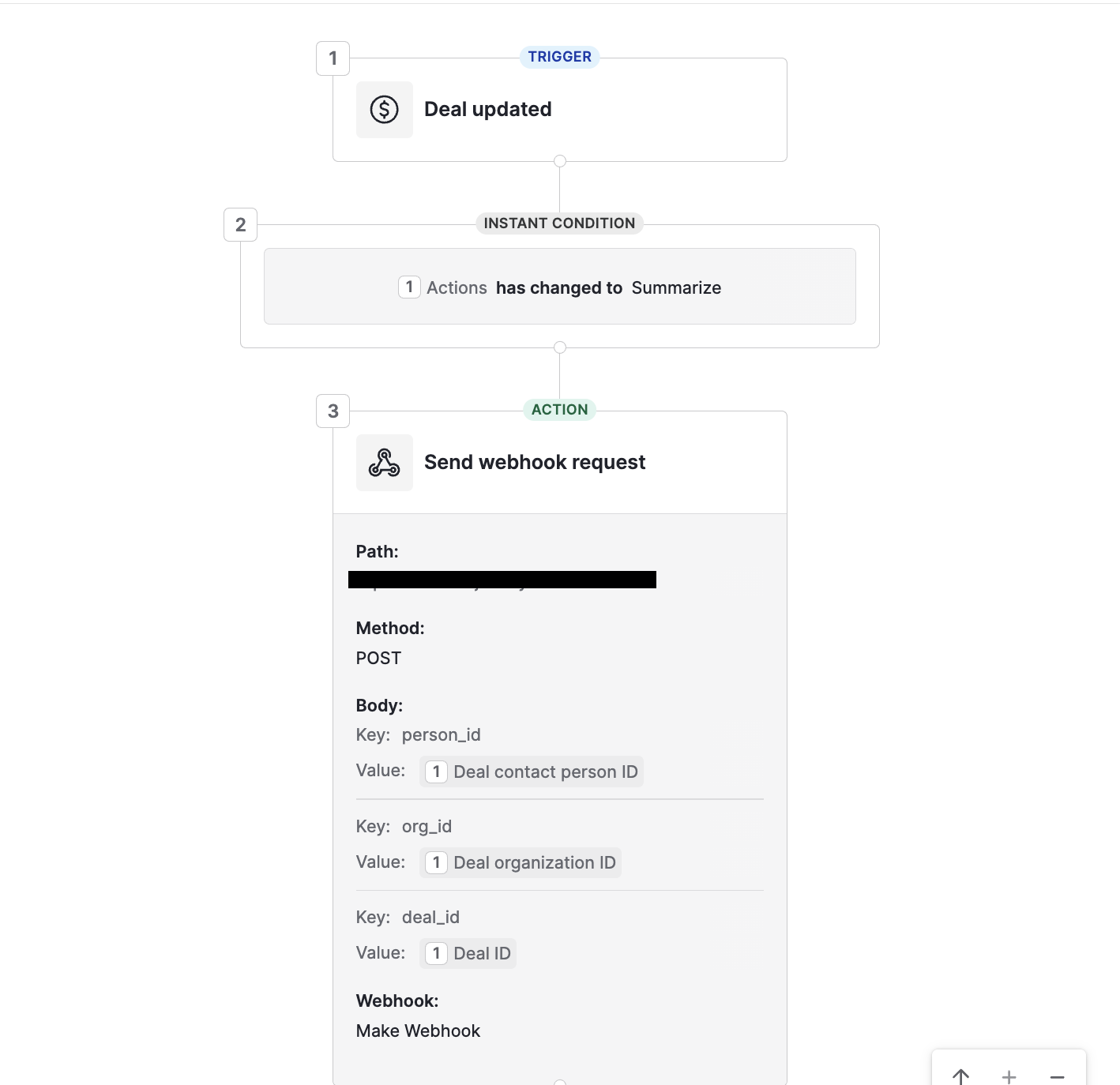
2. AI agent collects additional context in Pipedrive: activities, notes, emails
The second step contains a couple of tools that let the AI agent retrieve data from your Pipedrive account and a prompt defining exactly what to look at — for example, the last 30 emails with the client.
3. AI agent summarizes the communication data from Pipedrive
The third step receives data from the Pipedrive AI agent and writes a summary based on the prompt with your requirements. Whenever you want to adjust the summary format, just change the prompt in this agent step.
4. Write a note with the summary back to Pipedrive
The last step writes a note with the summary and links it to the deal, company, and contact. This ensures that sales reps see the note anywhere in Pipedrive: on the person profile page, on the organization page, and on the deal page too.
.svg)