.svg)
.svg)


.svg)
There’s a new powerful way to create email automations in Pipedrive. Since sequences became available in workflows, workflows themselves don’t need to be cloned for individual users in order to send emails through their accounts.
The actions “send email” or “send email using template” in workflows uses the inbox of the user owning the automation, not the user triggering the automation.
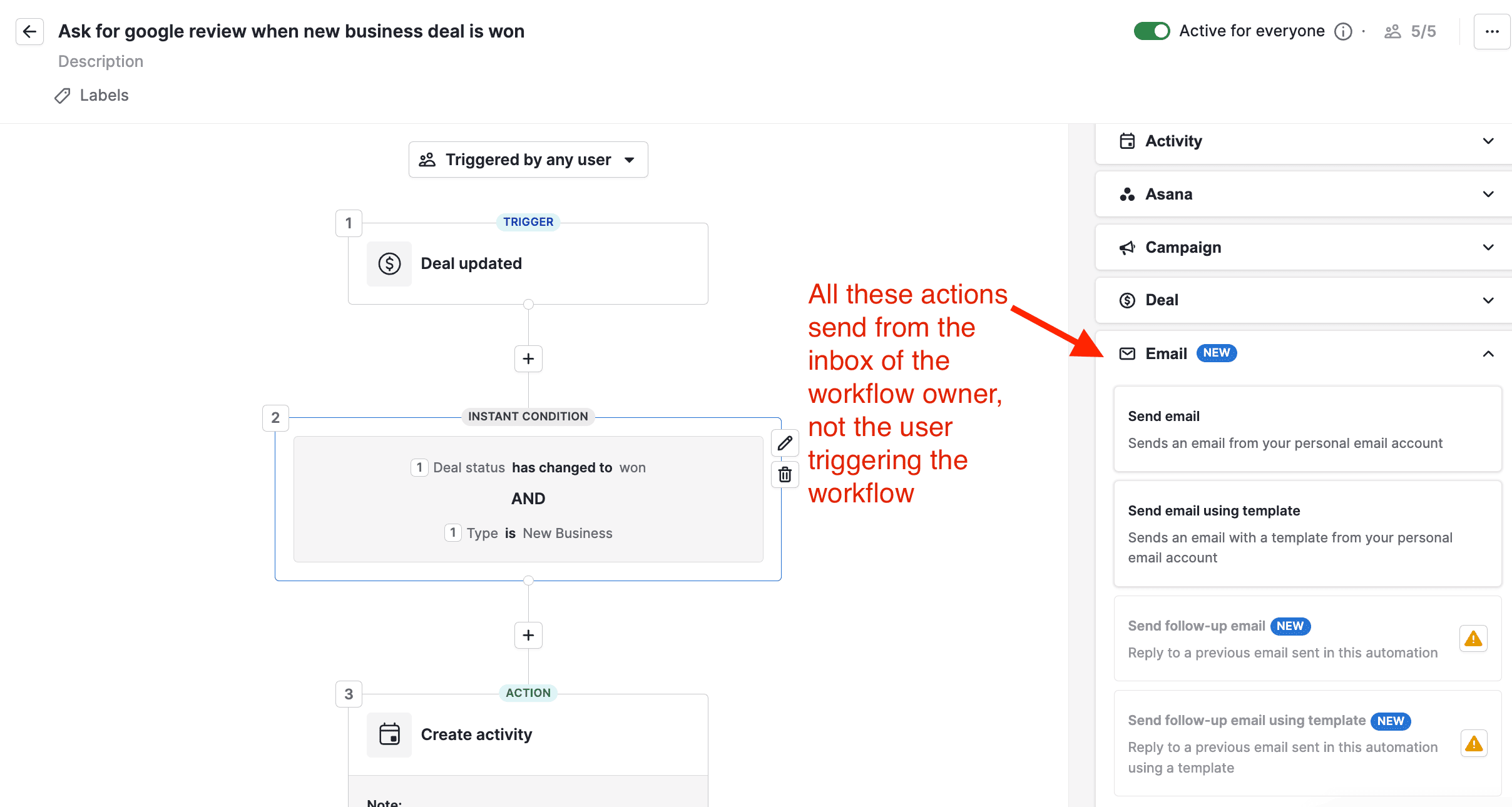
This becomes an issue on bigger teams. Admins need to keep dozens and sometimes hundreds of workflow clones in check.
The new “add to sequence” action is the remedy to the maintenance horror scenario. Sequences have a setting called “automated and delegated sending”.
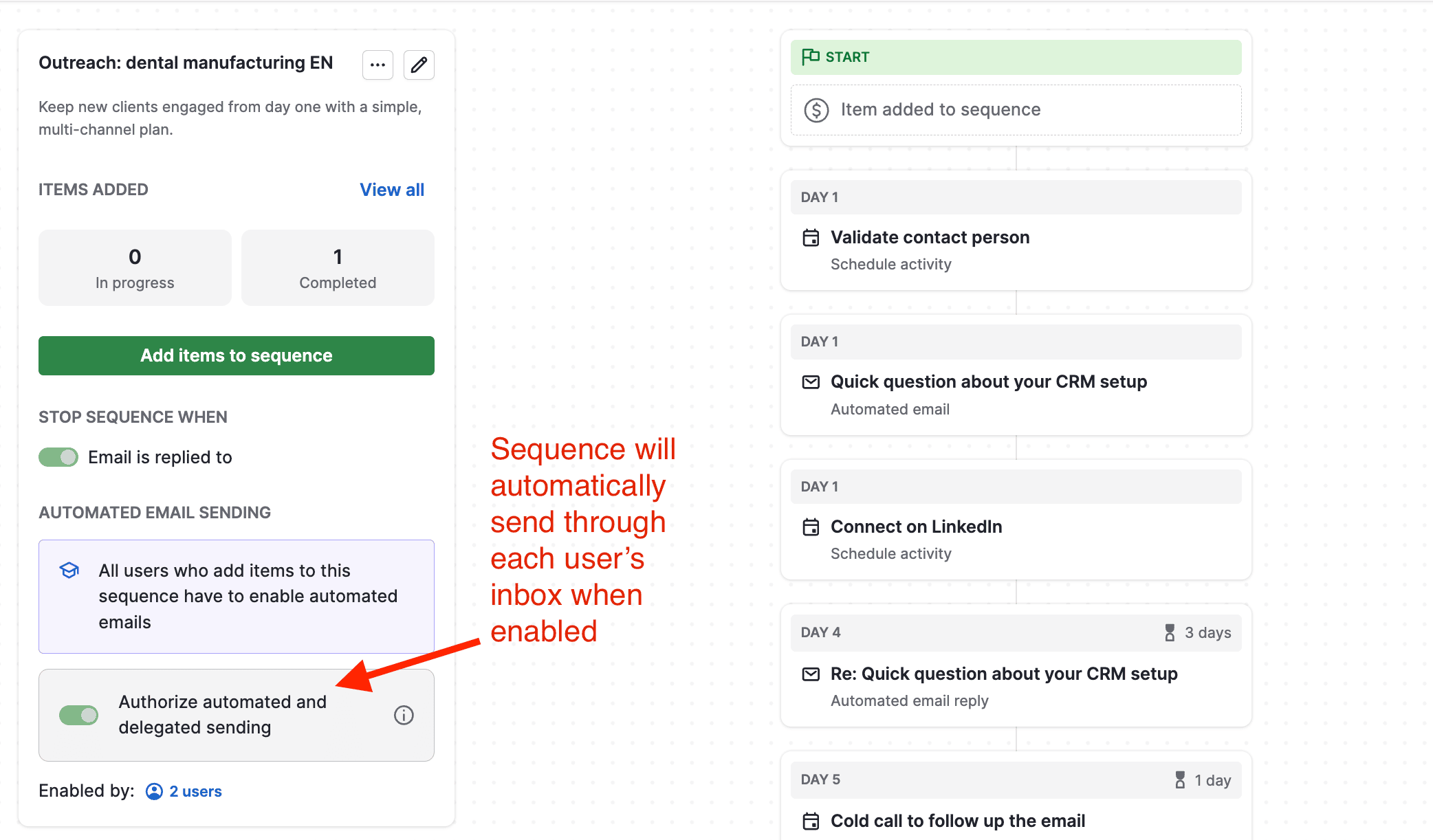
Emails of a sequence then go out automatically, from an account of respective user, when their deals or leads are added to a sequence.
Which means you can now have one workflow automation to send emails properly from the respective user’s inbox.
Here’s a video explainer for this new approach:
.svg)