.svg)
.svg)


.svg)

Another great update sneaked into pipedrive recently: quick filters. Here’s a quick explainer:
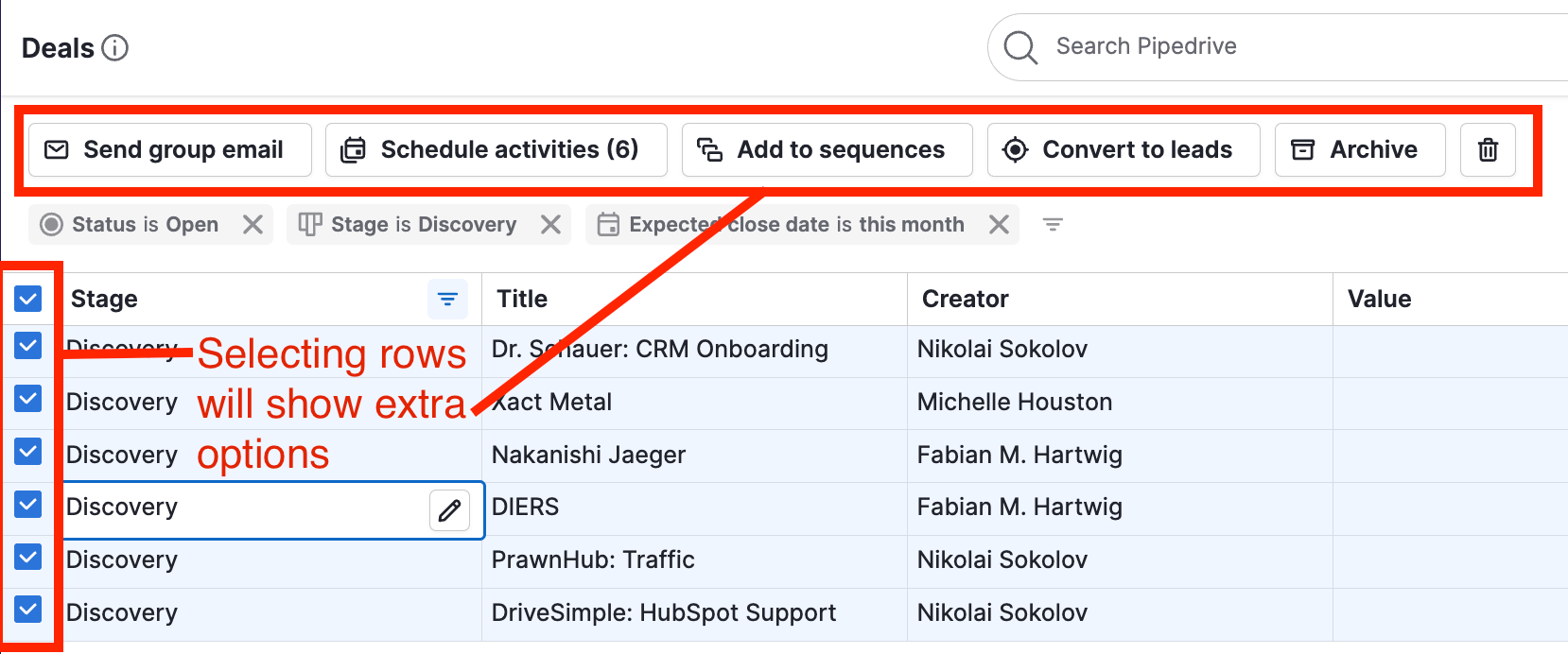
Basically, you now have an option to quickly add filtering to your lists without creating and saving them as filters. Great for quick scoping without cluttering your list of saved filters.

You can add as many as you need from the dropdown menu or by clicking on column titles. Remove them by clicking on the little “x” to the right from each of the filter pills.
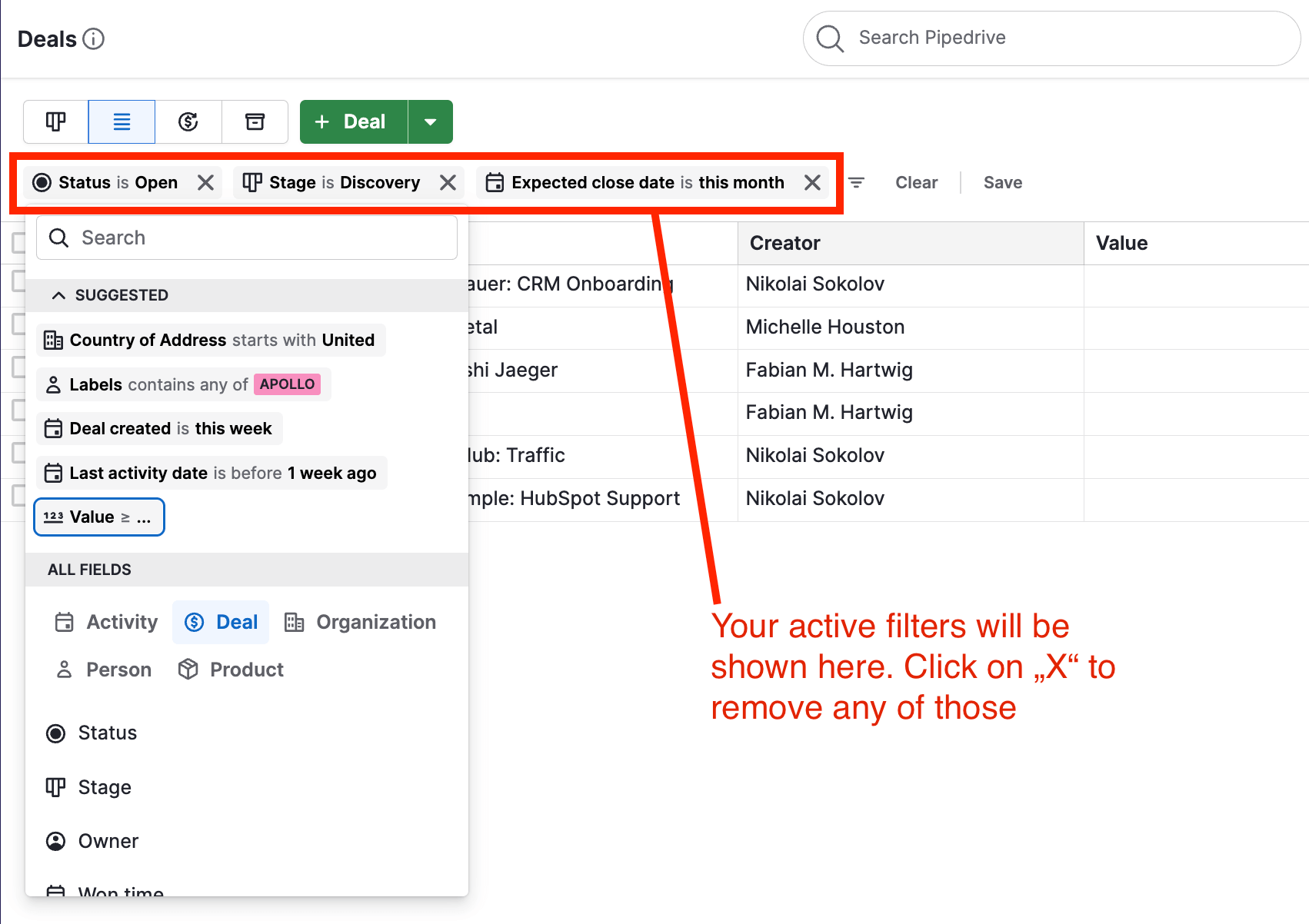
Keep in mind that quick filters are added to whatever conditions are in the saved filter that is active. If the filter dropdown on the right is blue, there is an active saved filter.

Overall, a great addition, especially when you need to quickly scan your contacts, companies or deals.
.svg)