.svg)
.svg)


.svg)

New batch actions: link and label
It is now possible to link or label a batch of emails. Incredibly useful feature. Here’s how we use it:
- Filter inbox by a specific email address (we just use search for that)
- Select all the emails that need to be linked to a deal
- Click the new batch link icon:

Pipedrive does a great job at suggesting likely deals and leads. It’s as simple as searching for the deal if Pipedrive fails to provide the right suggestion.
I can’t stress enough how useful this feature is.
Same applies to labeling (the button right next to batch link on the screenshot). While we don’t use.
Speaking of filtering the inbox:
Follow-up status filtering
There is a new quick filter available that quickly narrows down the inbox to unanswered emails:
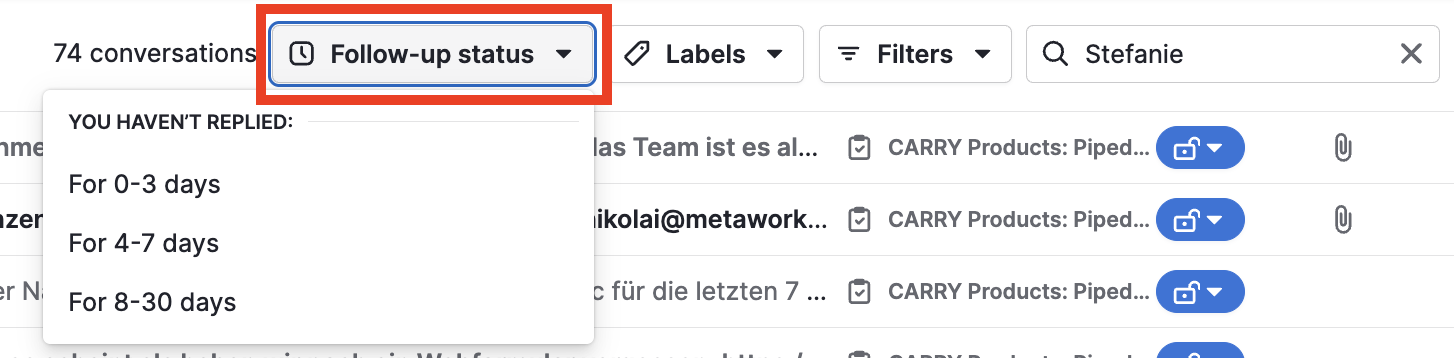
Just pick the range and you’ll see only emails that were not responded to. This new quick filter is best used with additional filters, i.e. only unanswered emails that are already linked with deals:
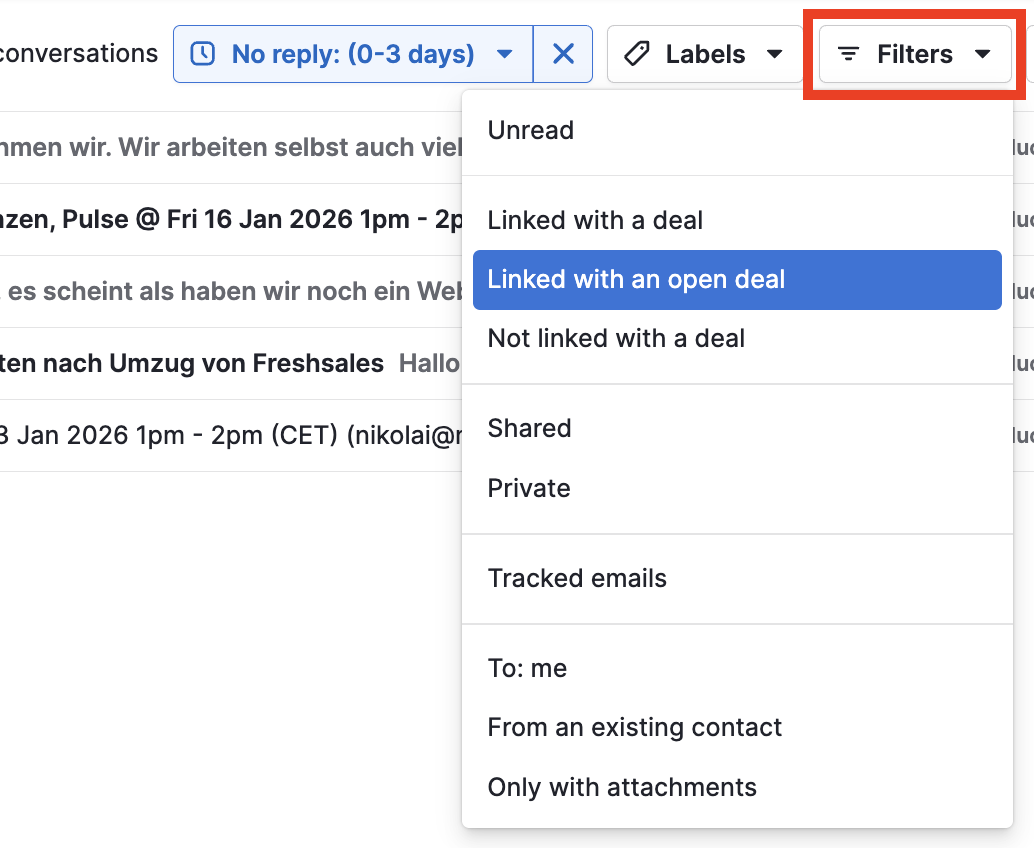
This is also an amazing update, especially if you sync your entire inbox like me ;)
Without filters – 23K emails, impossible to navigate:

With filters – 5 emails awaiting my reply:

Why Sales Inbox rocks
Just as a reminder: HubSpot does not have an email inbox, like it does for group inboxes. Team inbox - yes. Personal inbox - no.
Pipedrive lets you connect up to 3 personal inboxes per user account and up to 3 team inboxes per company.
HubSpot also does not import previous emails when you start using the CRM. Pipedrive let’s you sync YEARS of emails and automatically links those emails with customer profiles in the CRM.
Which is another reason why Pipedrive absolutely rocks for sales teams who spend their days in email inboxes.
Feel free to reach out if you need help with using Sales Inbox or automating emails in Pipedrive.
.svg)