 Metabrain
 MetaPipe
 MetaHub
A consistent deal naming convention keeps your Pipedrive pipeline searchable, your list views sortable, and your automations reliable. This guide covers deal and lead naming best practices — plus the change to Pipedrive’s default deal naming that can quietly break title-based automations.
Deal naming convention best practices
- Pick one format and enforce it. A pattern like
[Company] — [Product/Service] — [Value]makes every deal scannable at a glance. Decide it once and apply it everywhere. - Front-load the most filterable attribute. Lead with the company or account name so list views and search sort usefully; the specifics can follow.
- Keep structured data in fields, not the title. Amount, stage, owner and close date belong in Pipedrive fields — they stay reportable there. The title is for human readability.
- Don’t depend on the words “deal” or “lead” in the title. Pipedrive changed its default to drop them (see below), so any automation or filter that checks for them is fragile.
- Automate the format on creation. Use a workflow to auto-build the title from fields when a deal or lead is created, so the convention holds without manual effort. See our guide to Pipedrive automation.
- Avoid special characters that break CSV export or search (slashes, quotes, emojis).
What changed in Pipedrive’s default deal naming
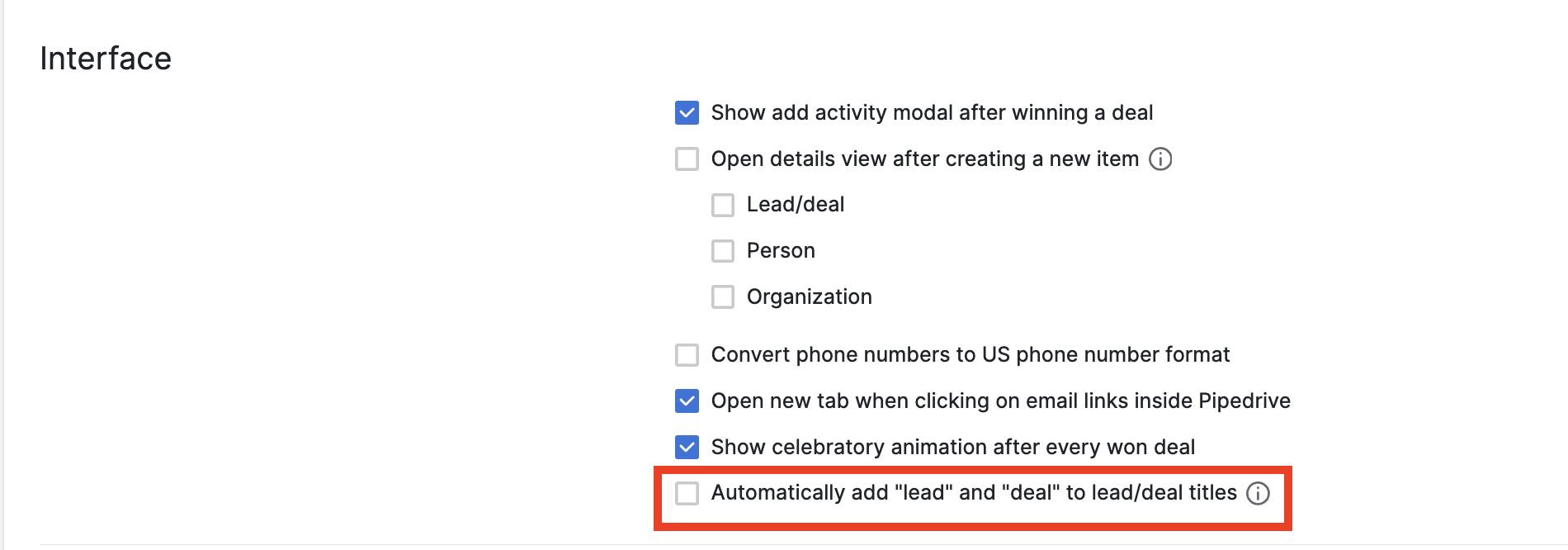
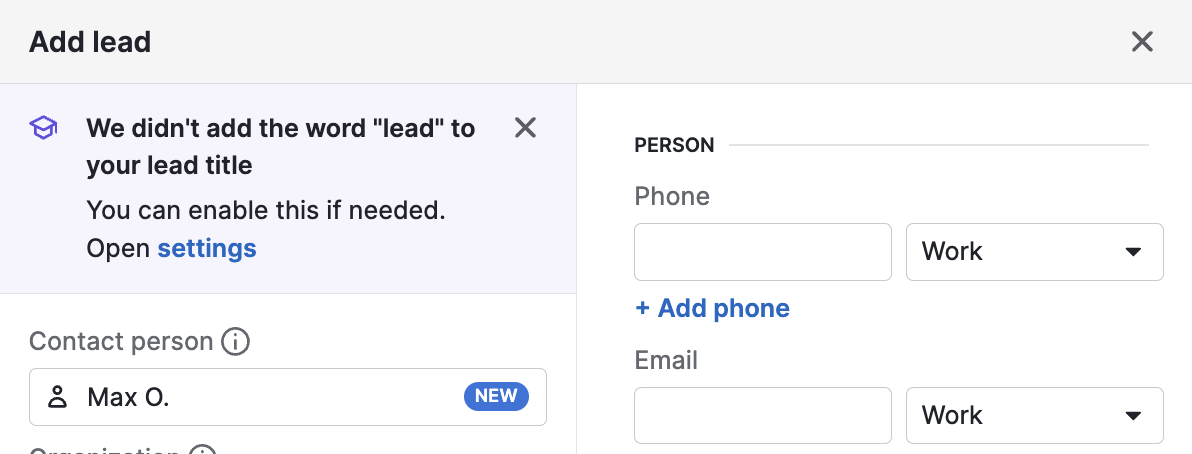
Pipedrive changed the way deals are named by default, dropping “deal” and “lead” from the titles.
You can switch back to the previous naming convention in personal settings (Settings > Personal preferences):
You will also see a notification when adding new leads or deals:
Why it matters for your automations
It’s a minor change and actually a good default to not have “lead” and “deal” in the deal and lead titles. It does have a critical impact if your automations are based on this being in the title.
For example, if some automation is triggered by deal creation and an immediate check for “deal” in the title, we suggest changing the automation to check for something else — because this new default is applied to all users, and every user would need to tick that checkbox to switch back to the old way.
Need a naming convention enforced across your pipeline automatically? That’s exactly the kind of thing we set up in Pipedrive automation projects.