Blog

Tips, deep dives, and insights on CRM, automation, and integrations.

Pipedrive

PandaDoc vs Pipedrive Smart Docs in 2026: When the Add-On Beats the Built-In

Pipedrive Smart Docs is included on Premium and Ultimate and covers most quoting needs. PandaDoc earns its $49 per seat when you need designed PDF templates, SMS signing in DACH, in-document product selection and payment, or CPQ logic. Facts checked September 2026.

8 min read
Pipedrive

Pipedrive Nova vs. Fireflies and Fathom in 2026: The Meeting AI That Only Hears Sales

Pipedrive Nova is free in every plan, records any meeting your sync rules allow, and can write to exactly three things: a deal, a person, an organization. We checked it in a live account and put it next to Fireflies and Fathom.

10 min read
Updates

What's New in Pipedrive in 2026: Every UI Update, Where It Breaks, and the MetaPipe Fix

A feature-by-feature look at Pipedrive's 2026 UI updates: email logging, Pulse reply hints, send-later, lead-label conversion, Projects Gantt, automation safety rails, WhatsApp, and Pipedrive's own MCP server, with what shipped, where it breaks, and the MetaPipe equivalent.

14 min read

AI & Automation

Should you build your own CRM with AI in 2026?

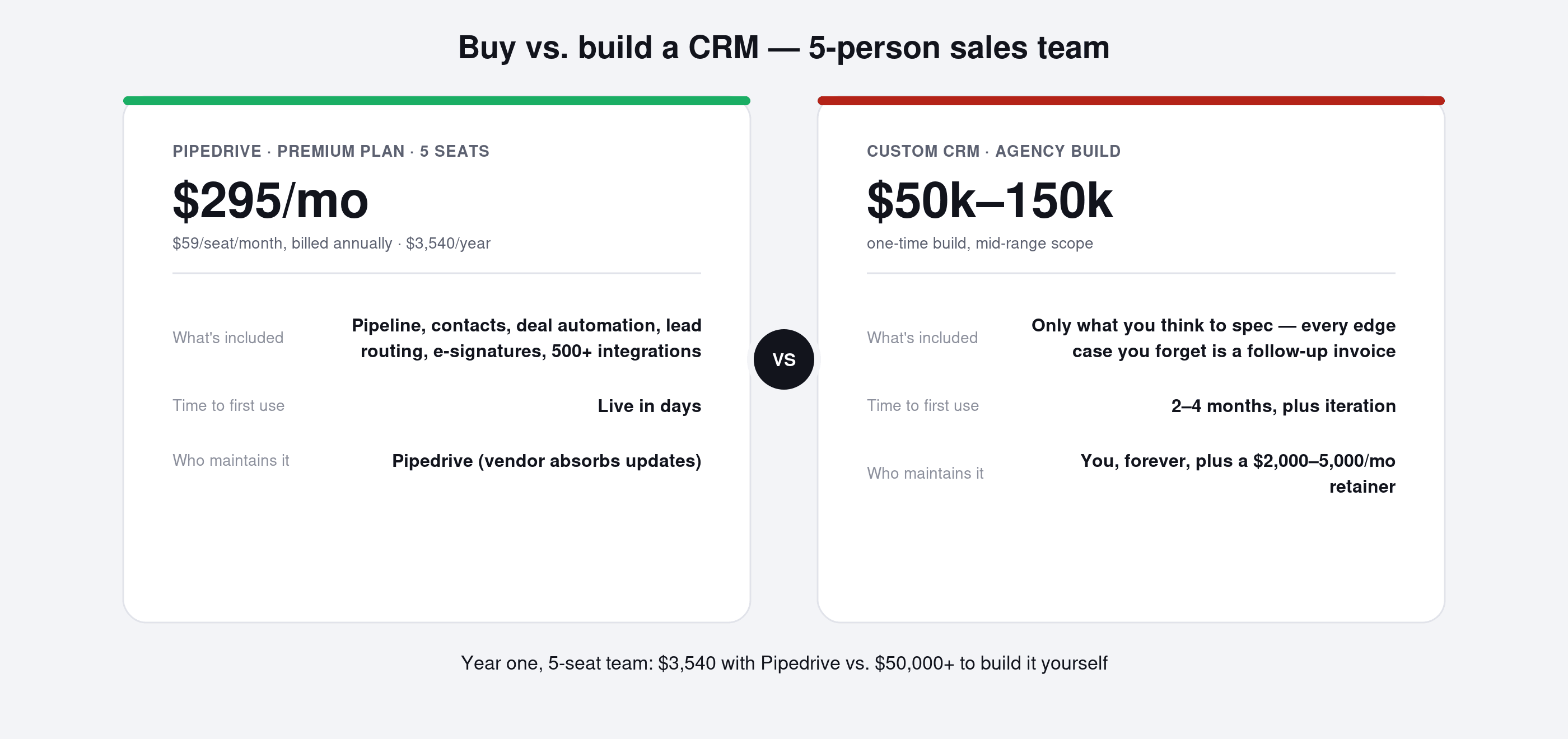
AI can generate a CRM prototype in hours, but not the years of maintenance, security hardening, and edge-case testing already built into Pipedrive or HubSpot. This post compares the real costs of buying a CRM, vibe-coding your own with AI, and commissioning a custom build, using recent AI-spend cautionary tales from Microsoft and Uber. It argues most teams are better served automating their workflow inside an existing CRM, and introduces MetaPipe and MetaHub, Metawork's own MCPs for doing exactly that.

7 min read
Deep Dive

MetaPipe deep dive — your AI can finally run Pipedrive

MetaPipe connects your AI assistant directly to Pipedrive via MCP — real API calls, not manual relay. Ask Claude or ChatGPT to update deals, find stalled leads, or manage tasks, and it actually does it. No hallucinated fields, no silent failures.

5 min read
Pipedrive

Import Data in Pipedrive: The Ultimate Guide

In this post, we’ll cover 3 ways to import data in Pipedrive and explain the benefits and shortcomings of each.

Pipedrive

Pipedrive vs HubSpot 2025 Review – Pricing, AI Updates & CRM Comparison

Compare Pipedrive vs HubSpot in 2025: pricing, AI tools, sales features, and full cost breakdown. Learn which CRM fits your business and why.

Deep Dive

Updating the note of the task created in sequences

Sequences don't allow inserting fields in notes or activity titles. But workflows do.

Deep Dive

Update: Sort Deals in the Pipeline

New feature allows sorting the deals in the pipeline view.

Deep Dive

Automate email forwarding with AI and make.com

Let's look at email forwarding the way it should be in 2026

Pipedrive

Advanced Pipedrive Hack: Automate Emails with Sequences + Workflows

This post explains how to combine Pipedrive Sequences and Workflow Automations to send automated emails from each user’s inbox. Avoid creating dozens of duplicate workflows and simplify email automation for your team with this powerful setup

Pipedrive

Emails in Pipedrive: The Compendium

Can Pipedrive handle group inboxes? Can more than one personal mailbox be used in Pipedrive? How can visibility be restricted? What about email automation? Emails are a powerful tool in Pipedrive because Pipedrive is a sales CRM and email is crucial in sales.

Pipedrive

How to Deactivate a User in Pipedrive: Quick Actions, Reassignment & Cleanup

Pipedrive's Quick Actions feature streamlines user deactivation by allowing admins to reassign deals, leads, contacts, and activities in one interface. This guide covers the step-by-step process, manual cleanup tasks, and common mistakes to avoid when offboarding users.

Pipedrive

Updates in Sales Inbox

Sales Inbox, the humble, yet powerful email feature inside of Pipedrive got a couple of killer updates. Let’s go through them.

Pipedrive

Pipedrive Column Filtering: Faster Deal Management with Quick Filters

Discover Pipedrive’s new column filtering update that enables instant list filtering without saved filters. Improve deal management speed and CRM workflow efficiency.

Pipedrive

Breaking change in Pipedrive: Default deal naming

Pipedrive recently changed the way deals are named by default, dropping “deal” and “lead” from the titles.

Pipedrive

Pipedrive AI Reports: Why Results Can Be Inaccurate — and How to Fix Them

Pipedrive AI reports can save time — but only if your data and prompts are set up correctly. This guide explains why AI reporting sometimes gets results wrong and what to fix in your CRM to make insights reliable.

Pipedrive

Pipedrive Follow-Up Filter in Sales Inbox

Most deals don't die because of price or competition — they die because nobody followed up. In this article, we break down how Pipedrive’s Follow-Up Filter helps sales teams uncover unanswered emails, recover silent deals, and protect revenue.

Pipedrive

Pipedrive Products on Steroids (2025 Update)

Explore Pipedrive's 2025 products update: new subscription logic, advanced line-item configurations, AI product reports, and accurate ARR/MRR/ACV/TCV forecasting. See what changed and why it matters.

Pipedrive

Pipedrive Update: Field Descriptions in Deals

Help team members understand what specific deal fields mean with the new field description feature

Pipedrive

Sequences: Add Deals and Send Emails Automatically

Two new features that drastically improve sequencing in Pipedrive: automatic sending of emails and workflow automation actions.

Pipedrive

Boosting Sales Efficiency with CPQ in Pipedrive: PandaDoc vs SmartDocs

Pipedrive

Card Customization: Show what matters in pipeline view

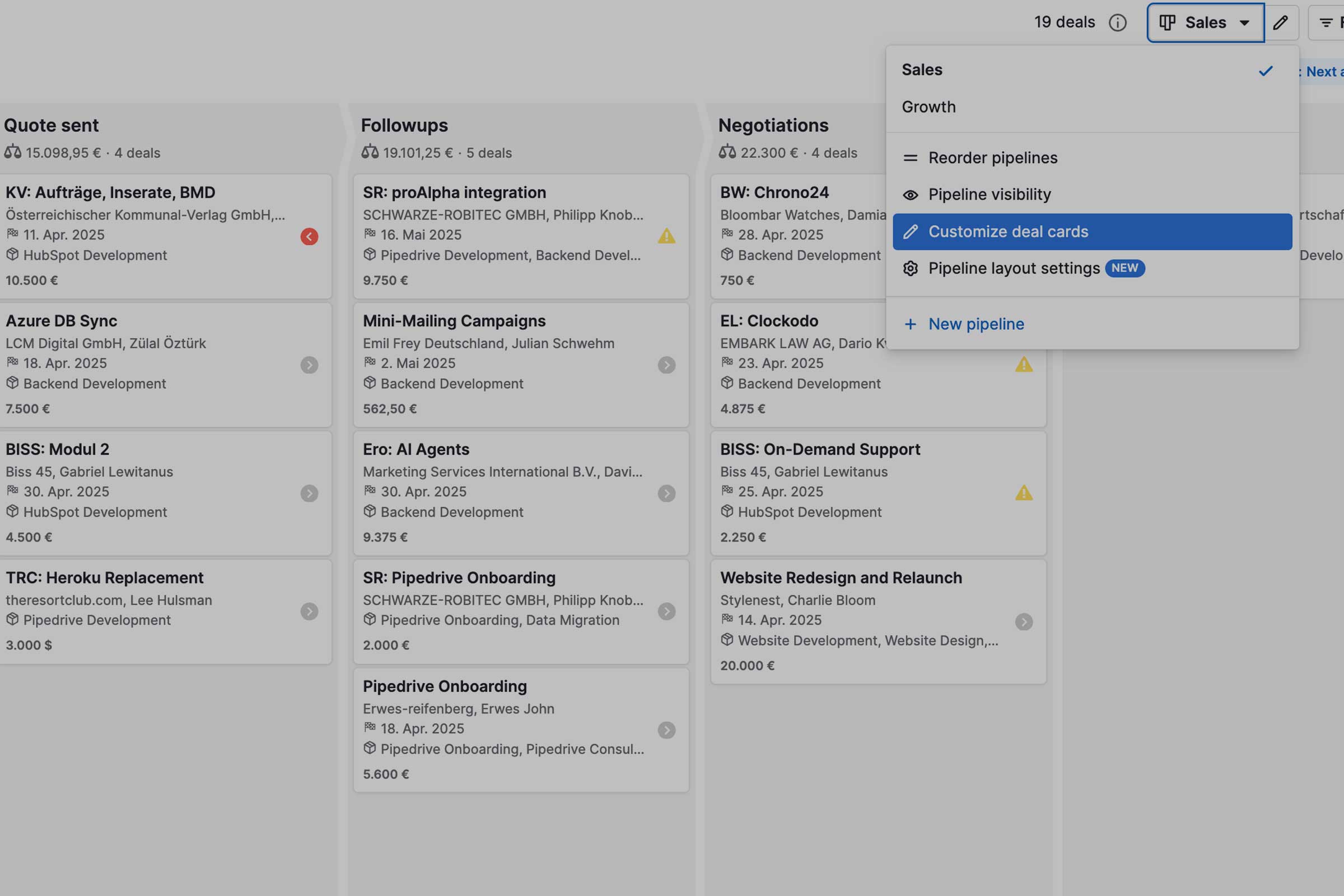
Deal cards in the pipeline overview can contain any fields from deals, contacts and companies. This also allows for more useful labeling of deals, which is clearer in the pipeline view.

Updates

Change Trigger in Automation

New update in pipedrive allows changing the trigger in automations, which simplifies cloning of workflows.

Pipedrive

Contacts Timeline: The Quickest Way to Stay in Touch with Clients and Leads

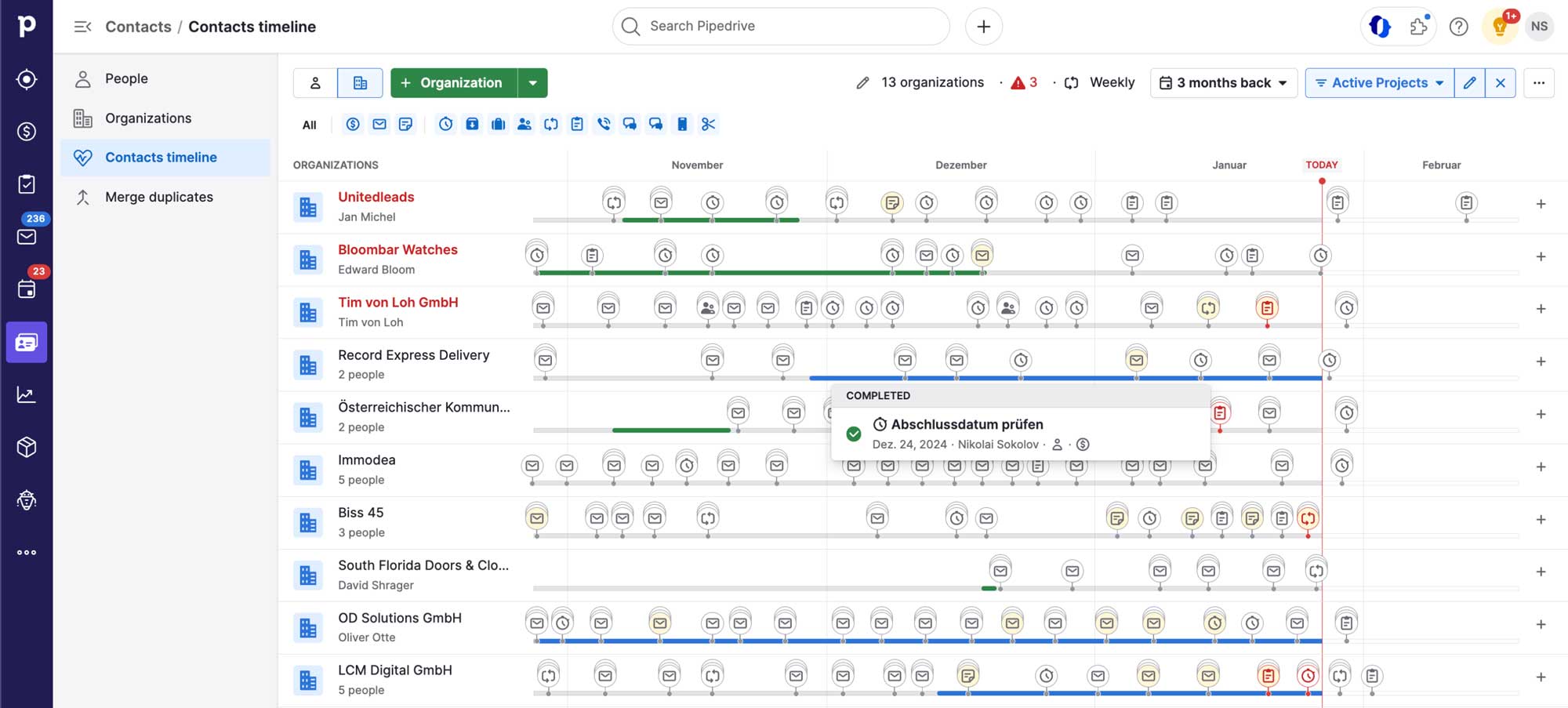
Contacts Timeline is a unique feature of Pipedrive. A super easy and convenient way to stay in touch with your prospects and clients. Keep the tabs on open deals? Follow-up with new leads? Have important deadlines in check? Timeline makes it easy.

Problem: Solved

Date Triggers in Workflow Automation

Date-based triggers in HubSpot come at a premium of 600$/mo. Date-based triggers in pipedrive are free from advanced plans up. Great for sending out meeting reminders and birthday wishes.

Pipedrive

GDPR in Pipedrive: The Guide

On Pipedrive's GDPR compliance and what to keep in mind when working with advanced Pipedrive features.

Pipedrive

How to Make Calls from Your Mobile Phone in Pipedrive (2025 Guide)

Learn how to call from your mobile phone in Pipedrive, sync calls with your desktop, and log every conversation automatically. Step-by-step 2025 guide.

Pipedrive

New Pipedrive Feature: Bulk scheduling

Another silent rollout of a highly useful feature. Schedule follow-ups to hundreds of deals with 2 clicks.

Pipedrive

Pipedrive Pulse: A Real-Time Window into Sales

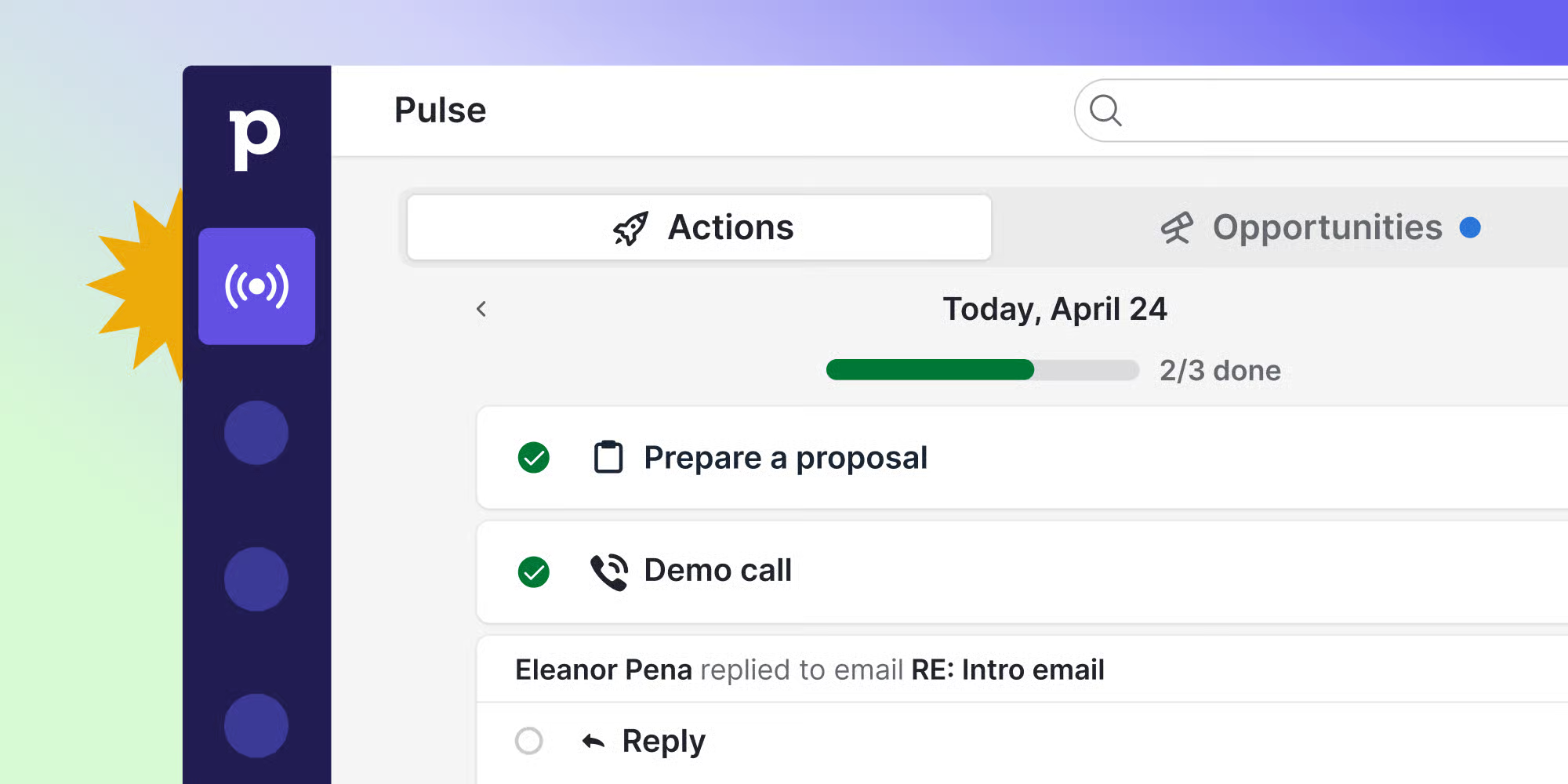
Pulse is the long awaited update for Pipedrive with Lead Scores, Sequences and Activity Feed. The unique change is how all those features are visible and actionable of one tidy page which is designed to do one thing: let you know what the next step is towards closing a deal.

Problem: Solved

Pipedrive: The Ultimate Checklist

Everything you need to know about pipedrive before you start.

Pipedrive

Pipedrive Update: Sequences for Leads

Sequences, the new and simplified way to create outreach funnels in pipedrive, is now available for leads.

Problem: Solved

Pipedrive vs HubSpot: When to Use Which and Why?

Pipedrive and HubSpot boast an abundance of features and are suitable for a wide range of business models. Discover which is better for your specific needs.